Overview
The Sharing Station is a professional-grade station designed to handle media monitoring, AI searching, and multi-channel sharing for high-traffic events.
Core Features
- Watches multiple folders: Monitor several locations simultaneously for new media.
- Custom UI design: Fully brandable interface with custom colors and backgrounds.
- External slideshow display: Dedicated output for secondary screens.
- Runs on an iPad: Operates over your local network for portable sharing.
- AI face detection: Smart photo filtering based on facial recognition.
- AI Processing: Apply AI effect on images instantly!
Getting Started
Follow these steps to set up your Sharing Station and begin managing your event media.
Download Software
Get the latest version of the Sharing Station application for your Windows machine.
Download ProgramAdmin Portal Sign-up
Create an account on our admin portal to manage your licenses, profiles, and event galleries.
Sign Up NowInstall & Login
Run the downloaded installer, launch the Sharing Station, and log in with your portal credentials.
Purchase Subscription
Choose a plan that fits your event needs and activate your license to unlock full features.
Purchase SubscriptionWhy sign up?
- Configure WhatsApp and Email profiles remotely.
- View real-time event statistics and sharing logs.
- Manage and extend your software subscriptions.
Folder Monitoring
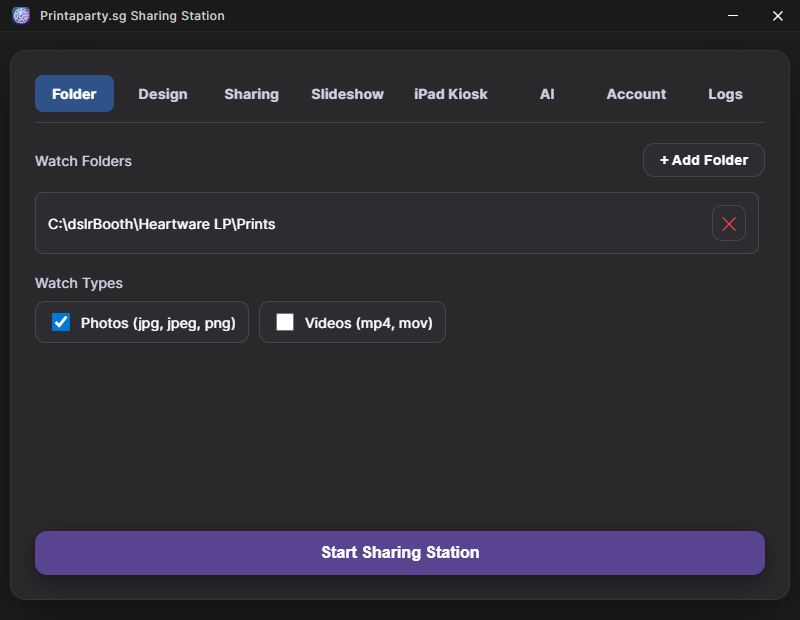
Add Multiple Watch Folders
Monitor one or more folders at the same time. This is perfect if you are using multiple cameras or capture stations.
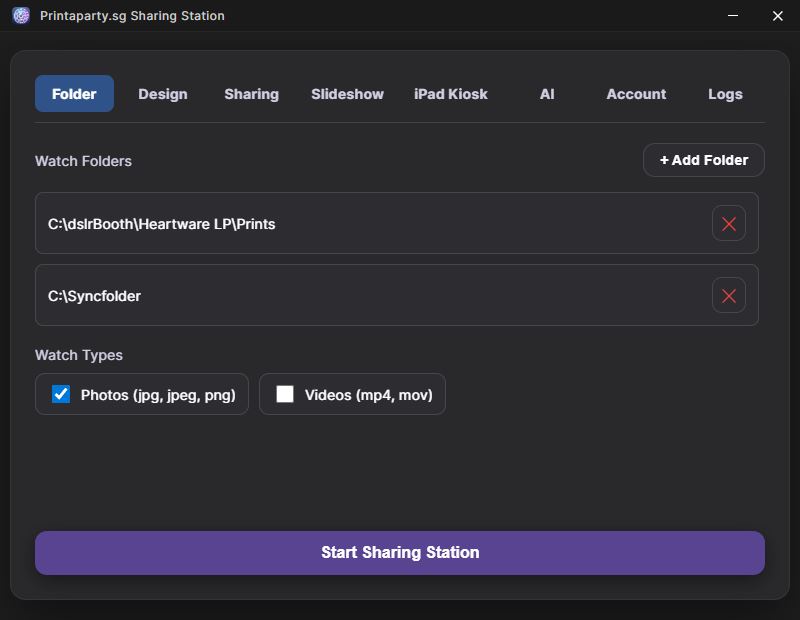
Watch Types
Supports .jpg, .jpeg, and .png formats.
Supports .mp4 and .mov formats.
Design & Branding
Layout Config
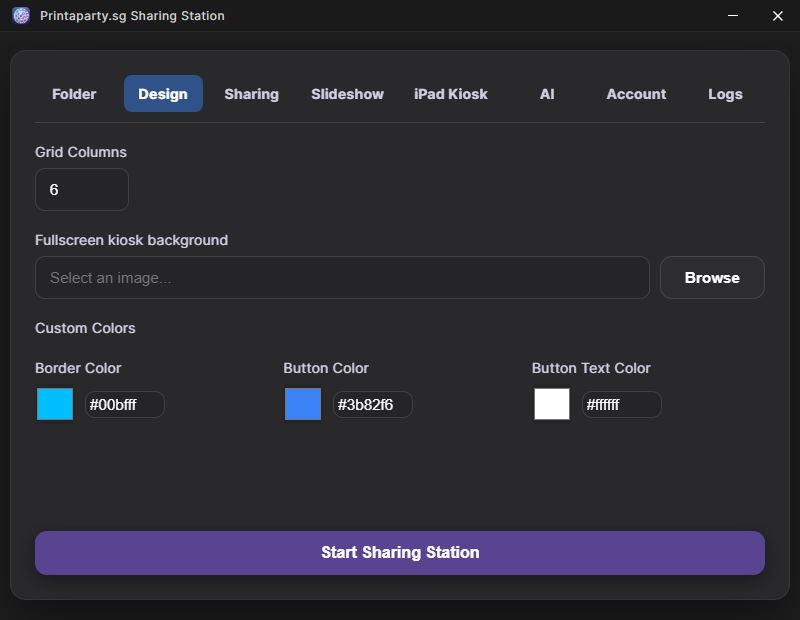
Set the number of photos per row in the grid to optimize for different screen sizes.
Backgrounds
Upload a custom background image to match your event theme.
Custom Colors
Fine-tune the look of your kiosk by setting custom hex codes for:
- Borders and Dividers
- Buttons and Interactive elements
- Text and Labels
Sharing Options
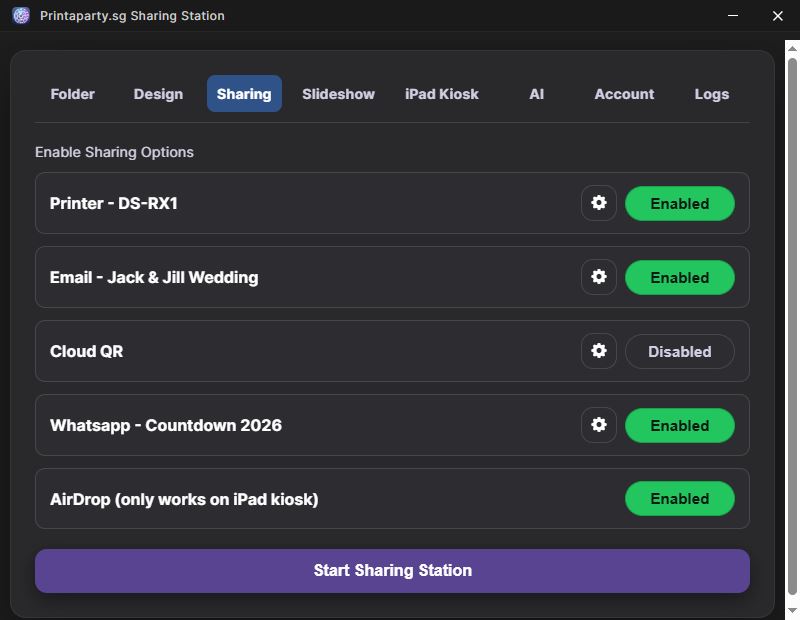
Printer
Select your preferred printer and adjust preferences directly within the app.
Connect to a pre-defined email profile for automatic photo delivery.
Cloud QR
Select an online gallery to generate unique download QR codes for every photo.
Choose a WhatsApp profile to send media instantly via mobile numbers.
AirDrop
Enabled for direct local sharing to Apple devices.
External Slideshow
Configuration
- Slide Duration: Control how long each photo stays on screen.
- Media Types: Choose to show photos, videos, or both.
- Background: Set a specific background for the slideshow.
- Display Selection: Choose which monitor displays the slideshow.
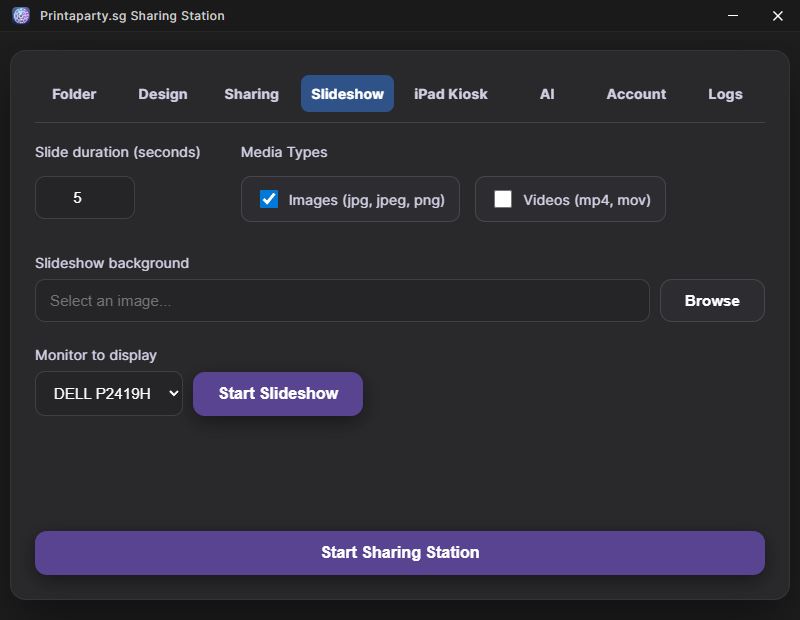
Tip: Press ESC or "Stop Slideshow" to end it.
iPad Kiosk
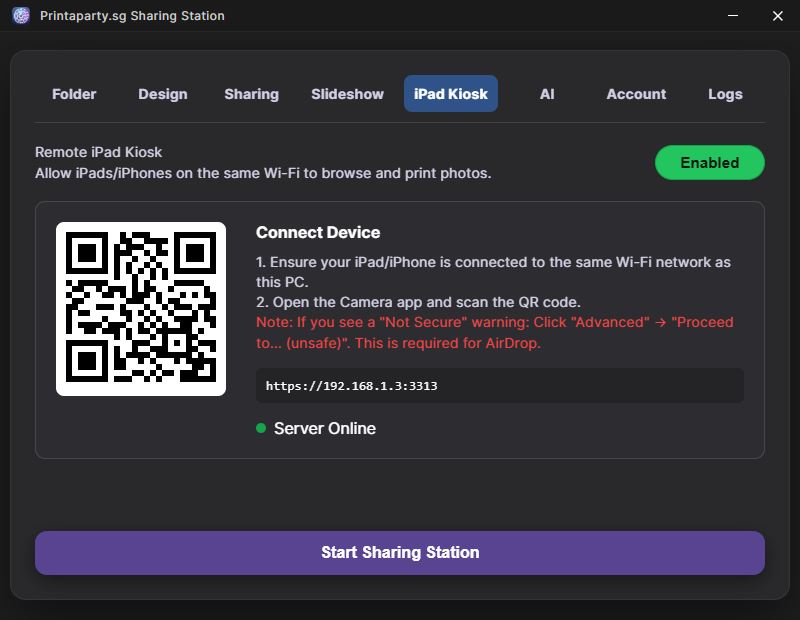
Local Network Sharing
Turn any tablet or mobile device into a sharing station. By connecting to the same local network, guests can browse and share media from tablets while the main kiosk handles input.
Allows sharing kiosk on external tablet or mobile device on the same network through a localized web server.
AI Features
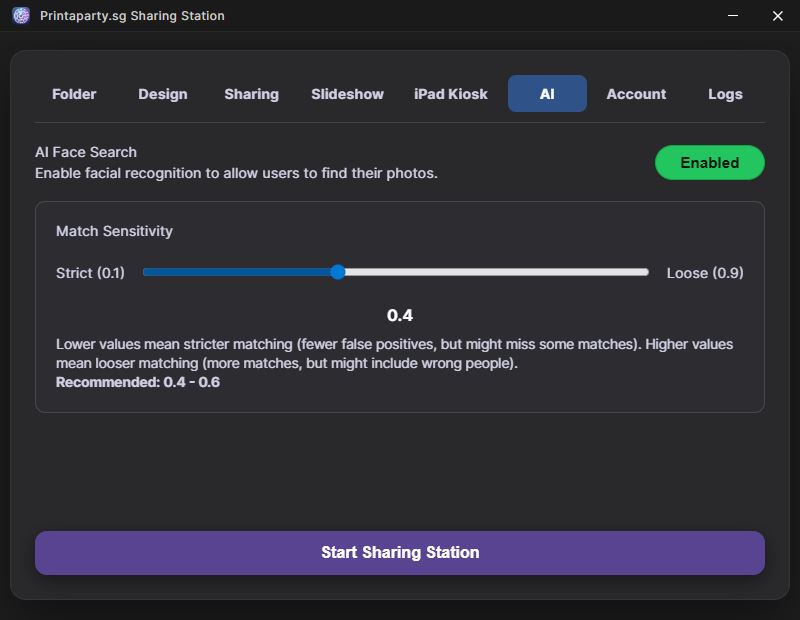
AI Face Detection
Advanced facial recognition algorithms used to categorize and search through event media.
Search and Show Similar Face
Select a photo and click "Search and Show Similar Face" to find all photos they appear in. The AI rapidly compares their face against the entire event library.
AI Post Process
Automatically enhance photos as they arrive using AI-powered post-processing. Great for instant photo booths and live events.
- Process Folder: Processed images are saved to
a
/processsubfolder alongside the originals. - Show Original / Processed: Choose to display original photos, processed photos, or both in the kiosk.
Setup
Enable AI Post Process in the Settings panel. Set an overlay image (PNG with transparency) and configure whether to show original, processed, or both in the kiosk grid.
Image Editor
Draw, Write & Decorate
Edit photos directly on the kiosk before sharing. Perfect for events where guests want to personalize their prints.
- Freehand Drawing: Draw on photos with adjustable brush size and color.
- Text Tool: Add text with multiple font choices and adjustable size.
- Stickers: Place PNG stickers from a configurable folder.
- Drag, Resize, Rotate: Interactive handles for text and stickers.
- Undo/Redo: Full history support with keyboard shortcuts.
Setup
Enable the Image Editor toggle in Settings → Folder tab. Optionally set a Stickers Folder containing your .png sticker files. In the kiosk, select a single photo and tap the ✏️ Edit button.
Account Management
Subscriptions & Access
Manage your software license and user session.
- View Subscriptions: Check your current plan and expiration dates.
- Logout: Securely exit your session on the machine.
System Logs
Activity Monitoring
Keep track of all interactions and background processes.
View Logs
Access detailed records of shares, prints, uploads, and any system errors for event auditing and troubleshooting.
Changelog
v0.0.10 - 2 Jun 2026
- UI improvements
- Grid layout for slideshow
- Add overlay to images
v0.0.9 - 24 May 2026
- Added email disclaimer checkbox
- Added email send logs with local date/time
- Show app version in the title bar
v0.0.8 - 11 Apr 2026
- Fixed same filename QR upload
- Reposition Number pad
v0.0.7 - 3 Apr 2026
- Fixed multiple cloud upload
v0.0.6 - 12 Feb 2026
- Added support for HTML email
- Added Image Editor: Draw, write text, add stickers on photos
- Added print quantity for iPad Kiosk
- Fixed issue with QR on iPad Kiosk
- Fixed Auto download updates
- Fixed auto deleselect image upon closing QR
v0.0.5 - 7 Feb 2026
- Added AI Post Process
- Fixed issue with filename encoding
v0.0.4 - 5 Feb 2026
- Ability to hide close button
- Triple click to exit kiosk
v0.0.3 - 1 Feb 2026
- Fixed background image issue
- Added background color for kiosk and slideshow
- Moved WhatsApp sending to background
- Auto close popup after uploading for QR
v0.0.2 - 29 Jan 2026
- Added preview for video on iPad app